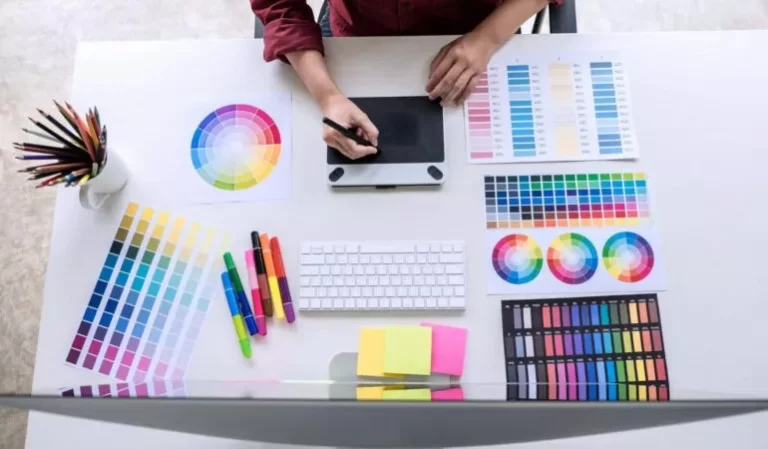
Graphic design has become one of the most essential creative skills in today’s digital era—whether you’re planning a career in the creative industry, launching your own brand, or simply exploring a new hobby. Businesses today rely heavily on captivating visuals to communicate, sell, and build recognition. This surge in visual communication has opened doors for beginners who want to dive into the exciting world of design. And the best way to start? Enrol in a structured, beginner-friendly graphic design course that introduces you to the core tools and software used globally.
The beauty of Graphic Design Courses for Beginners is that you don’t need prior experience—just curiosity, creativity, and the willingness to learn. Modern courses make it easier than ever to get hands-on training with powerful tools like Adobe Photoshop, Illustrator, InDesign, and more. These tools not only help you create stunning graphics but also allow you to understand design principles, colour theory, typography, layouts, and branding.
Adobe Photoshop – The Core of Digital Imaging
Photoshop is usually the first software learners experience, and it has earned that right as the industry standard for image editing, photo manipulation, retouching, and digital painting.
- Beginner-level skills you will walk away with:
- Basic tools, such as Move, Brush, Selection, Lasso, and Magic Wand
- Layers and masking techniques
- Colour repair and enhancement
- Retouch tools (Clone Stamp, Healing Brush, Patch Tool)
- Creating web graphics, posters, banners, and social media creatives
Photoshop lays a great foundation for you as you learn to work with images and layers. Those skills will be translatable to almost any design software!
Adobe Illustrator – Mastering Vector Graphics
While Photoshop is about photographs, Illustrator is about being precise and working with shapes. Vector graphics are fundamental to making logos, icons, illustrations, infographics, and brand elements.
Takeaways to learn graphic design for Beginners:
- Employing the Pen Tool (which is your new best friend for vector drawing)
- Working with shapes, strokes, fills, and gradients
- Understanding type and manipulating characters
- Designing visually clean marketing assets
Because vectors do not lose quality when scaled up or down, Illustrator should become the backbone for branding and print design.
Adobe InDesign – Layout and Publishing Simplified.
InDesign is the industry-standard tool for multi-page layouts of brochures, magazines, catalogues, books, and presentations.
What Beginners Will Learn:
- Setting up master pages
- Working with grids and creating layout balance
- Merging text and images in a professional way
- Typography for long-copy text and documents
- Preparing files for printing and publishing processes
InDesign teaches you how a professional publication is created from the ground up, which is great to learn as a designer, whether you want to create a multi-page document or not.
Canva – The Go-To for Beginners
Although Adobe products are great, Canva is a tool for beginners who want quick, stylistically pleasing outcomes without typing or technicalities.
Five reasons educators focus on teaching Canva:
- It is very simple to learn.
- It includes thousands of ready-made templates.
- It is useful for social media graphics, presentations, flyers, advertisements, or personal branding.
- It is a simple drag-and-drop format.
- It is great for quick design jobs.
Canva allows students to build confidence before digging deeper into more complicated interfaces and software.
Figma – Intro to UI/UX and Digital Product Design
Figma is popular among UI/UX designers, or is some versions are free because of the collaborative capacity and modern interface.
Beginners in Graphic Design Courses for Beginners will learn:
- How to create basic wireframes and layouts.
- How to create mobile and web interfaces.
- How to use Figma’s components and assets.
- Prototyping and creating interactive flows.
- Working or collaborating with others in real time.
If you are thinking about exploring website design, app design, or interface design courses, you will use this tool.
CorelDRAW – Option for Vector and Print Designers
Most schools are still teaching the program, especially in areas that rely on the printing and offset markets.
You will learn:
- Vector creation tools
- PowerClip, Blend, Envelope effects
- Page layout techniques
- Text formatting
- Setting up files print-ready
CorelDRAW’s user-friendly software and print/graphics options make it an excellent program for beginners to learn and explore design for signage, packaging, and print.
Understanding Design Tools beyond the Software
Graphic design is more than just software; it is about thinking like a designer. In addition, you will be introduced to foundational tools and concepts, including:
- Color Theory
- You will learn how colours are used to elicit emotion, how palettes are created and how colour harmony plays a large part in design.
- Typography
- Understanding the different font families, spacing, hierarchy, and readability is vital in any area of design.
- Grid Systems & Composition
- Grids will help you maintain balance, alignment, and professionalism in every layout you create.
File formats & Exporting rules
You will learn when to use:
- PNG v. JPEG v. SVG
- CMYK v. RGB
- Or print-ready PDFs
In addition to high-resolution exports for clients when using files across design media and to ensure your work looks polished and technically correct for various media, you will need these skills.
Final Words
Graphic design is not just a skill—it’s a creative language that helps you express ideas visually and professionally. By learning essential tools like Photoshop, Illustrator, InDesign, Figma, CorelDRAW, and Canva, any beginner can step confidently into the world of digital creativity. Whether you aim to become a freelancer, pursue a full-time design career, or elevate your personal brand, mastering these tools is your first step toward a rewarding creative journey.
If you’re ready to learn from experts and gain hands-on training with real projects, Excellent Multimedia offers some of the best Graphic Design Courses for Beginners with professional mentorship and practical modules.